Getting Started
Bring up a local AWS-shaped account, open the console, and talk to it with the AWS CLI.
Not affiliated with Amazon Web Services. stackwrangler is independent OSS: test locally, then deploy to real AWS. New here? Start with Why.
Prerequisites
- Docker Engine on Linux (Compose v2). Published ports bind to
127.0.0.1on that host. Windows users: run Linux via WSL with Docker Desktop WSL integration or an engine inside WSL. - AWS CLI v2
No git clone for the public path. Full reference: docker-install.md in the repo.
1. Start the stack (Docker image)
mkdir -p ~/.stackwrangler ~/.aws
docker pull ghcr.io/kgz/stackwrangler:latest
docker run --rm --network host \
  -v /var/run/docker.sock:/var/run/docker.sock \
  -v "$HOME/.stackwrangler:/data" \
  -v "$HOME/.aws:/root/.aws" \
ghcr.io/kgz/stackwrangler:latest upPin a cut with :v0.0.2 (or a digest) instead of :latest — see Changelog and docker-install.md.
That pulls sibling images (LocalEmu with patches, SeaweedFS, console web app, ECR registry), starts them on the host Docker engine, and writes AWS profile local. Config lives in ~/.stackwrangler. One up = APIs + CLI profile + web console — no extra step for the UI.
Tear down with the same image and down (thin CLI: stackwrangler down; optional --remove-profile drops profile local).
Naming
stackwrangler is the product CLI and docs brand. LocalEmu is the emulator behind :4566. This is unrelated to Cloudflare’s Wrangler CLI.
2. Open the console
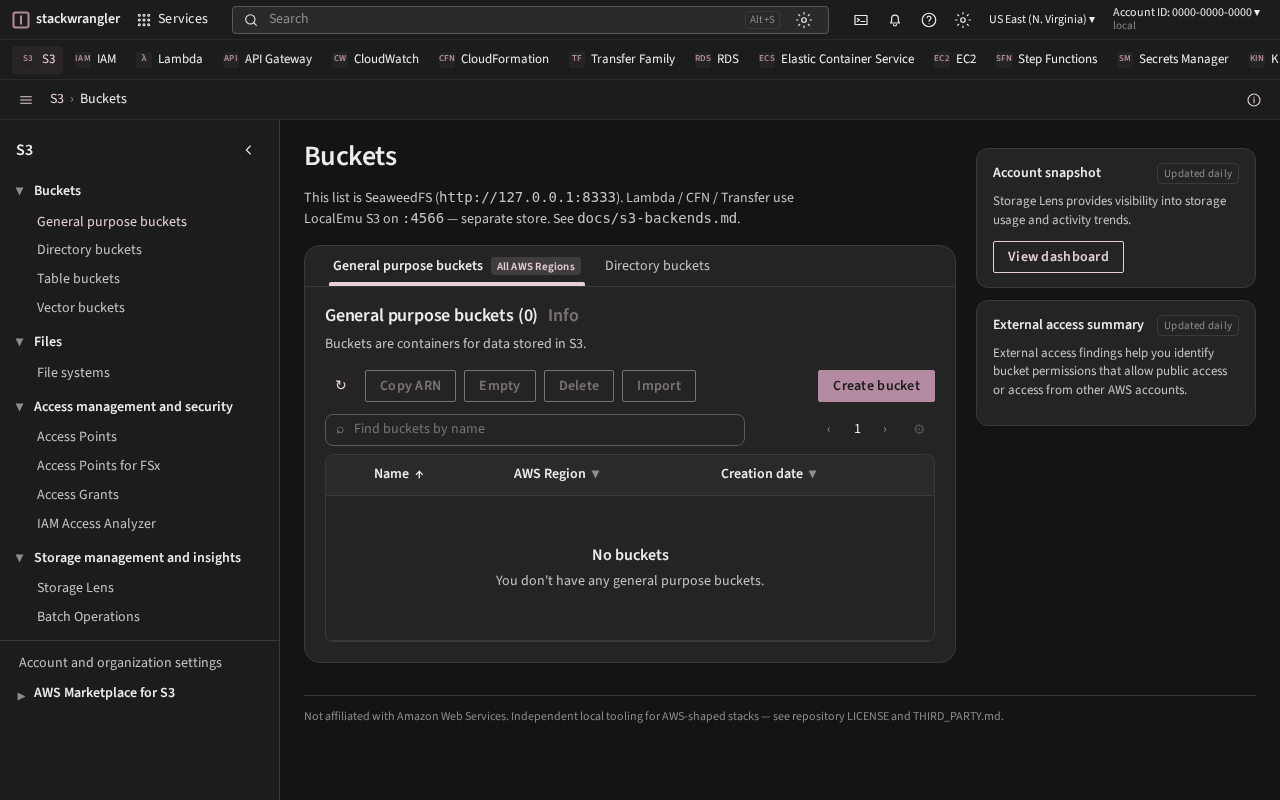
Browse http://127.0.0.1:3000 — already running after up (baked static console on the release nginx image; no Vite).
Grey-rose chrome, same account as the CLI. Home opens on S3 general purpose buckets (LocalEmu):
3. Use the AWS CLI
aws --profile local s3 lsaws --profile local lambda list-functionsProfile local points S3 and other services at LocalEmu (:4566). SeaweedFS (:8333) is optional parity only. See Concepts.
4. Upgrade / teardown
docker pull ghcr.io/kgz/stackwrangler:latest   # and sibling :latest tags — see docker-install
docker run --rm --network host \
  -v /var/run/docker.sock:/var/run/docker.sock \
  -v "$HOME/.stackwrangler:/data" \
  -v "$HOME/.aws:/root/.aws" \
ghcr.io/kgz/stackwrangler:latest down -vContributors only
Clone the repo when changing the product (smokes, patches, console source). See CONTRIBUTING — not required to run or upgrade.
5. Next
- Compare — same as LocalEmu / Moto / LocalStack / real AWS, hardened how
- Architecture — LocalEmu + patches + sidecars
- Fidelity — awkward topology / settings bar
- Use case: OpenTofu → Expo + IAM — hero path
- Use case: Org path (Transfer → … → RDS) — v0.1.0 learning path (partial until E2E)
- Vision — what “fully working” means
- Completeness — Working vs Partial vs stub
- Console tour — more screenshots of shipped surfaces
- Deep agent/dev notes stay in the repo under
docs/
Docs site locally
cd docs-site
pnpm install
pnpm dev # http://127.0.0.1:5173/Hosted docs: https://stackwrangler.dev/